
To Change your shop voicemail pin follow these steps:
1 – go to https://settings.webex.com/signin
2 – Log in using your shop email address (Example: batavia@crashchampions.com)
3 – Enter the password: the password starts with CrashCH and the numbers are the shop zipcode.
4 - Click on the three dots on the right side of the name and select Reset Voicemail Pin:
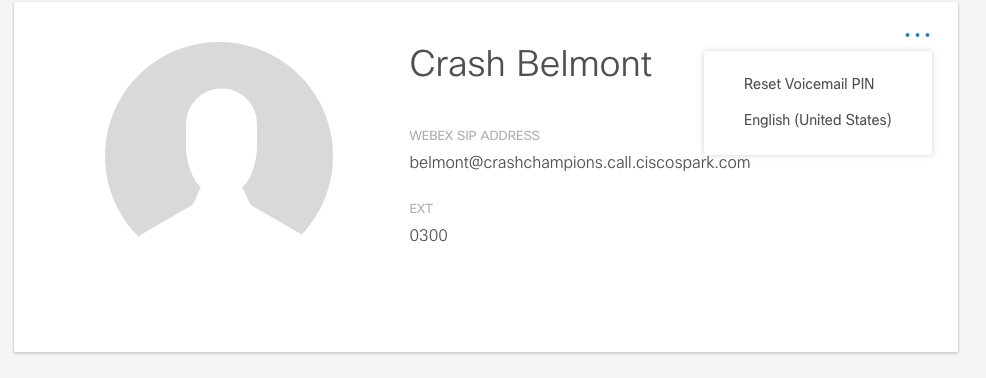
To change your personal voicemail PIN follow the same procedure:
1 – go to https://settings.webex.com/signin
2 – Log in using your email address (Example: vinced@crashchampions.com)
3 – Enter the password: the password starts with CrashCH and your three or 4 digits number.
4 - Click on the three dots on the right side of the name and select Reset Voicemail Pin.